Mividas Core & Rooms 2026.2 — Rebuilt for the future
Version 2026.2 is here. We’ve updated the entire user interface foundation, reworked access control for finer-grained control over who can do what, brought a powerful suite of Cisco room system management tools into Rooms, and upgraded the underlying platform and support for hosts running in FIPS mode or under STIG hardening, strengthening the foundation for organizations with demanding security and compliance requirements.
Note: You might have noticed the version number change. Starting with this release, Mividas moves to a calendar-based versioning scheme, instead of 4.2, this release is 2026.2. The new format tells you at a glance when a release was made, the year, followed by the release of that year, so it’s always clear how current your installation is and where it sits in the release timeline. There’s nothing to do on your side; it’s simply a clearer, more transparent way to track versions going forward.
A brand-new interface foundation
The entire user interface has been rebuilt on a modern technology foundation, a ground-up modernization that touches every page, dialog, table and menu in the product. What this means for you:
- Faster and more responsive. A rewritten rendering engine makes the UI lighter and quicker, especially on data-heavy pages.
- A refreshed, consistent look. Bringing an updated Material Design system, cleaner tables, dialogs, menus, chips and form controls, applied consistently across both Core and Rooms.
- Built to last. The interface now runs on the current generation of its underlying technology, all actively maintained and supported, which means new features arrive faster and the platform stays on a stable, secure footing for years to come.
Rebuilding the entire application at this scale is a significant engineering investment. You feel it today as a smoother, snappier interface, and it’s what lets us keep building on top of it well into the future.
A stronger foundation for performance and security
We’ve upgraded the underlying platform to provide a more modern, secure and reliable foundation. What this means for you:
- Improved performance. Updated system components and Docker bring performance improvements and bug fixes.
- Stronger hardening. Improved CIS/STIG capabilities make it easier to meet security requirements.
- FIPS compatibility. We’ve taken the first steps towards supporting FIPS-compatible environments.
- Built to stay current. Ongoing security updates and a modern foundation keep the platform secure and ready for future improvements.
Access control, reworked
2026.02 introduces a completely reworked, scope-based permission model. Access is now expressed as granular scopes, read and write, per product and per resource, with dedicated product-admin scopes. This gives you far finer control over who can see and do what than role-based access alone.
- Explicit, auditable customer access. Every user’s customer access is now backed by explicit permission records. Existing users are migrated automatically, and new users receive the appropriate default access on creation.
- Navigation that matches permissions. Core-only and Rooms-only users see only their product; opening a page they can’t access redirects them home instead of showing an error.
- Smarter group administration. The group admin page now uses checkbox-based, described scope selection, auto-selects scopes implied by a product-admin role, and grants the matching read permission automatically whenever you grant write.
A personal workspace that follows you
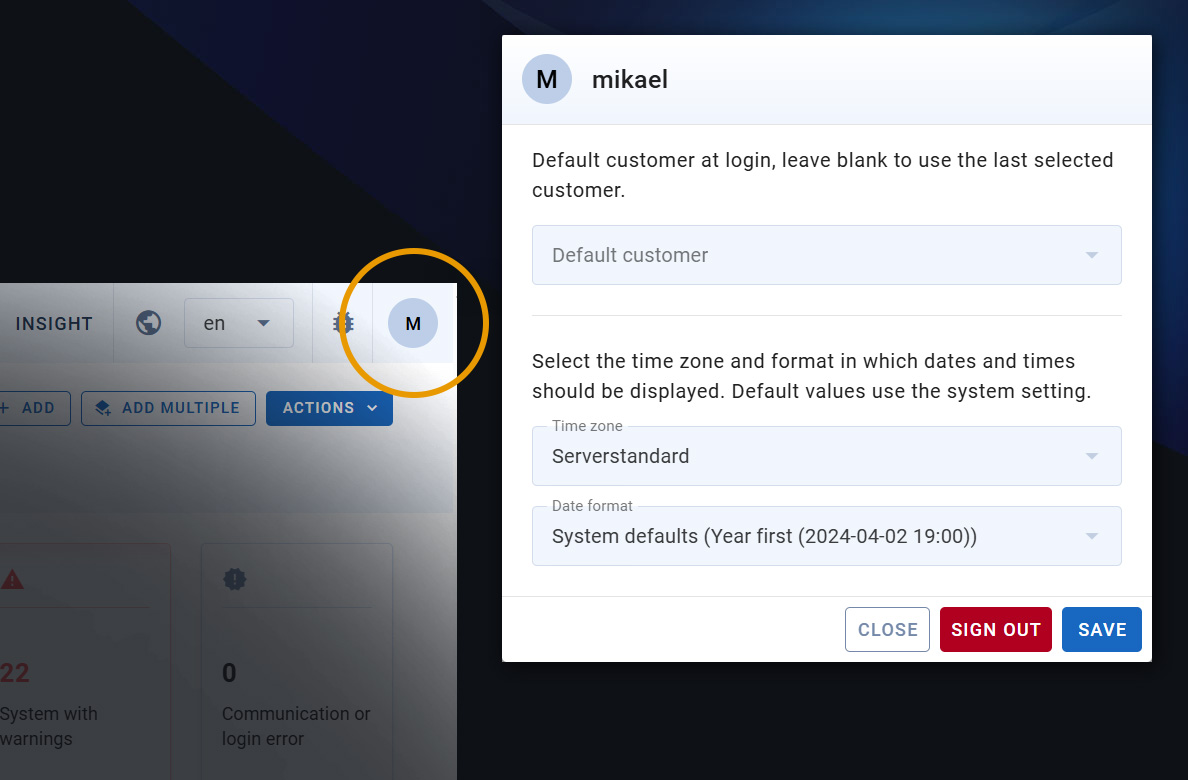
Click your avatar in the top bar to open a new profile dialog that gathers your personal settings in one place, and remembers them on your account, wherever you sign in.
- Your time zone, everywhere — dates and times across the interface follow the zone you choose.
- Your date format — pick year-first, day-first (slashes or dots), or 12-hour month-first.
- A default customer — if you work across several, one is selected automatically at sign-in.
- Your language — saved to your account, not just the device you set it on.
- Change your password and log out from the same place.
Advanced endpoint management
A major set of endpoint capabilities has been brought into Rooms, giving administrators far deeper control over configuration:
Compare configurations
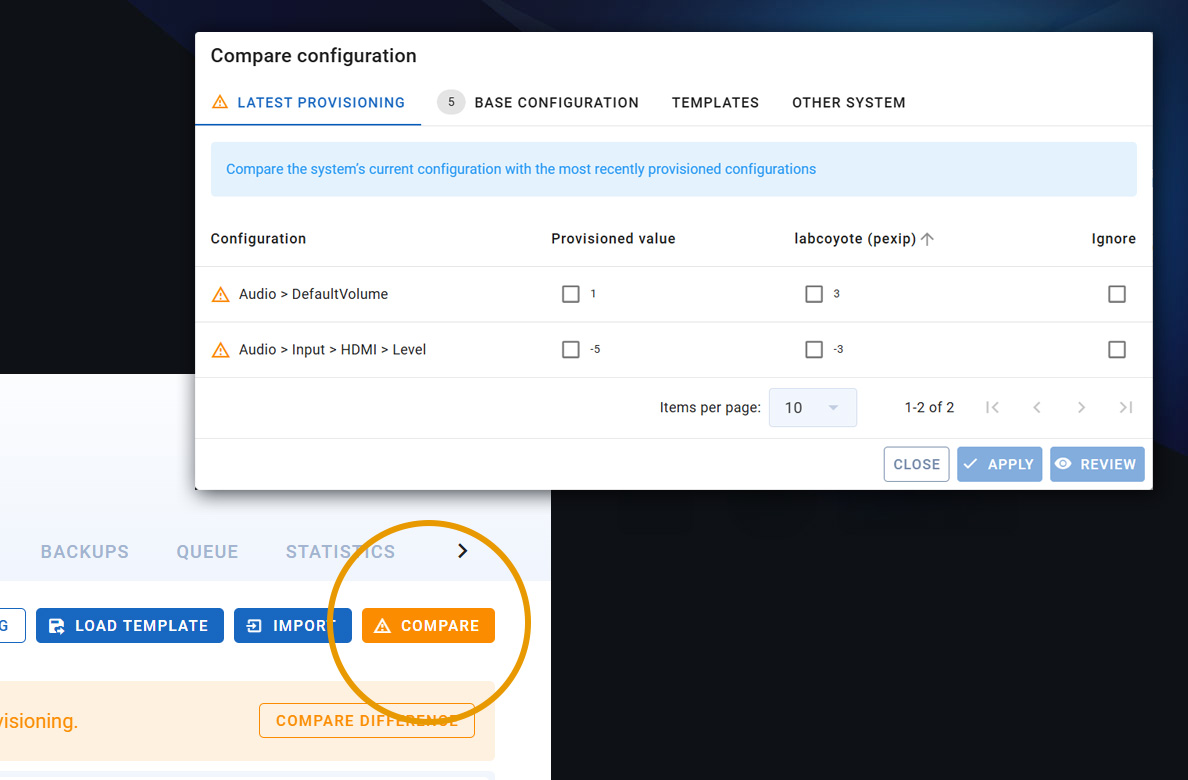
See exactly how a system’s live configuration differs from where it should be. Open the compare view on any system and check its current settings against four reference points, each on its own tab:
- Latest provisioning — what you last pushed to the system
- Base configuration — the standard configuration defined for that model
- A template — any saved configuration template
- Another system — a second system of the same type, side by side
Differences are laid out row by row, showing the reference value next to the system’s actual value. From there you can tick the values you want to keep and apply them straight back to the system, or preview the change first.
Backups you can generate, parse and restore
- Generate a backup at any time — Rooms builds a complete configuration backup from the system’s last provisioned settings and any pending changes. Crucially, if the system is offline or unreachable, a backup can still be produced from what Rooms already knows, so you’re never left without one.
- Parse existing configurations and command files — Whether it’s a configuration file or a set of commands, and turns it into settings you can review.
- Restore — provision a stored backup back to a system to return it to a known-good state.
Backups are stored per system with a download option, so you always have a recovery point on hand.
Configuration templates and system defaults
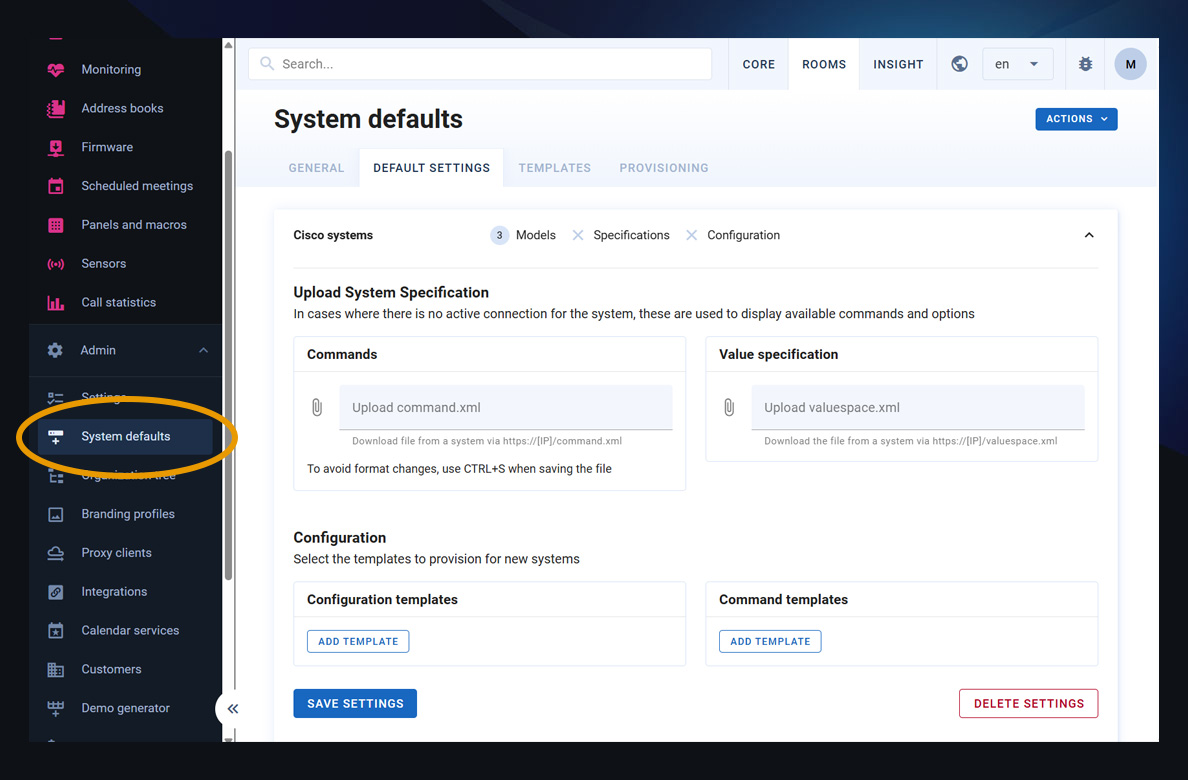
Stop configuring every system by hand. Build reusable configuration templates, named sets of settings and commands scoped to a make and model, and use them to drive provisioning consistently across your fleet.
- Model base configuration — define a standard configuration for each model once, then apply it to any system without re-entering the settings. If you schedule provisioning for later, the job reads the standard at the moment it runs, so if you’ve updated the standard in the meantime, the system gets the latest version, not the one that was in place when you set the job up.
- Smart provisioning defaults — pre-select which options appear ticked on the provisioning form.
- A new templates tab — manage all your configuration and command templates from one place under System defaults with search and filtering.
The provisioning form now also lets you build a job from a template, from the model’s base settings, from another system, or by importing configuration and commands as plain text, whatever’s fastest for the task at hand.
Conflict handling
Rooms now tells you when a system has drifted from its intended configuration. A target-state conflict, a difference between what’s actually on the device and what you last provisioned, is surfaced in two places:
- In provisioning — if the configuration you’re about to send differs from the model’s current standard, a warning appears with a one-click “compare” view so you can see precisely what’s changing before you commit.
- In monitoring — systems whose live configuration no longer matches their last provisioning are flagged with a clear warning, so drift doesn’t go unnoticed.
You can review the differences and either bring the system back into line or update the recorded target state to accept the change.
Firmware management
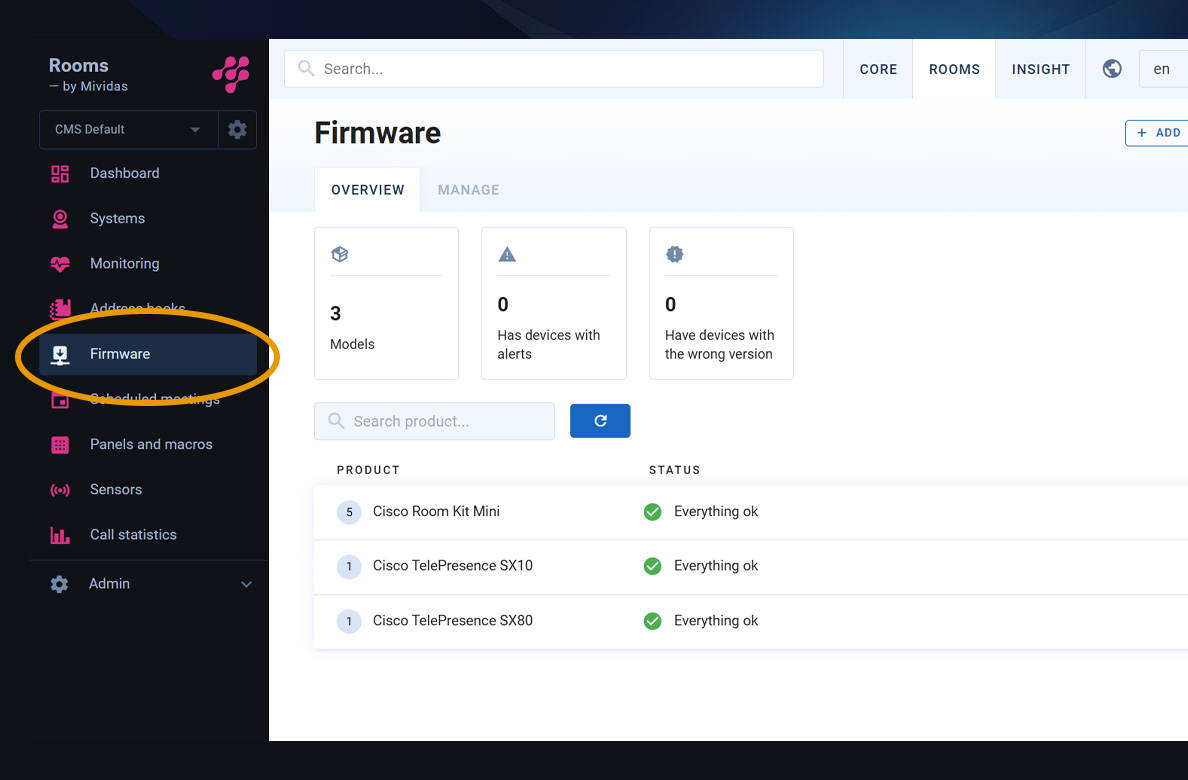
Keep every system on the firmware it’s supposed to run:
- Set a target version per model — define the required firmware for each model.
- Upgrade during provisioning — upgrade firmware target version as part of a provisioning job.
- A firmware overview — see at a glance how many models you manage, which have systems running an unexpected mix of versions, and which are on the wrong version entirely, with a per-model breakdown of exactly which systems need attention.
- Monitoring warnings — any system running firmware that doesn’t match its model’s target version is flagged automatically.
Faster, clearer fleet operations
- More powerful bulk editing — bulk updates now support more fields, including username, system type, connection type, dial protocol and portal settings. Each field has its own checkbox, so only selected changes are applied.
- Bulk provision from monitoring — select multiple systems directly in the monitoring list and overview and provision them together.
- Dashboard warning text — add a per-system disclaimer that shows as a dashboard alert in the Mividas Rooms interface.
A more accessible meeting experience
We’ve made improvements to accessibility across the end user meeting portal, making it clearer and easier to use. What this means for you:
- Better screen reader support. Improved labels and semantics make the interface easier to understand with assistive technologies.
- Better accessibility. Improved contrast and keyboard support make the portal easier to navigate.
Clearer dial-out and meetings
- The meeting dial-out view now shows the call-in role (Moderator or Guest) for each booked system and scheduled dial-out.
- Pexip OBTP PIN-in-URI mode — moderator dial-outs now correctly embed the moderator PIN so the system joins as moderator as intended.
Version 2026.2 modernizes the platform end to end, a new interface and underlying platform foundation, a permission model built for accountability, deeper endpoint control, and a workspace that fits each user. For detailed technical information, please contact your Mividas representative.